

Inventory
Know what's in stock. Know what needs attention.
Track stock across cases, packs, and singles. Count from a supported phone, review differences, and see which items need attention before the next order.
Buy by the case. Sell by the case, pack, or single.
One count, in single units
Each item is counted in single units, with its pack and case sizes stored on the item. A case received adds its units; a six-pack sold removes six.
Opening a case
Opening a case doesn't add stock: those units were already counted when the case arrived.
Sizes are separate items
A 750 mL and a 1.75 L bottle are separate sellable items, each with its own barcode, cost, and price.
How cases, packs, and singles affect inventory
A case of 12 arrives at $180.00, so each unit costs $15.00. You sell singles at $22.99 and a six-unit pack at $129.00.
- Receive the case: 12 units on hand, valued at $180.00.
- Sell the six-unit pack: 6 on hand. Cost of goods $90.00, gross profit $39.00, a gross margin of about 30.2%.
- Sell two singles: 4 on hand. Each earns $7.99 gross profit, a gross margin of about 34.8%.
- The next invoice prices the case at $192.00, or $16.00 a unit. With the new cost, keeping a 34.8% margin needs a price of about $24.54. SWYPRA suggests a price; you decide whether to change it.
- Receive the new case: 16 units on hand, valued at $60.00 + $192.00 = $252.00. The item's weighted-average cost becomes $15.75 a unit. Earlier sales keep the cost they were recorded with.
Sample numbers. Gross margin here is gross profit divided by the selling price before tax and deposits.
Count from a supported phone
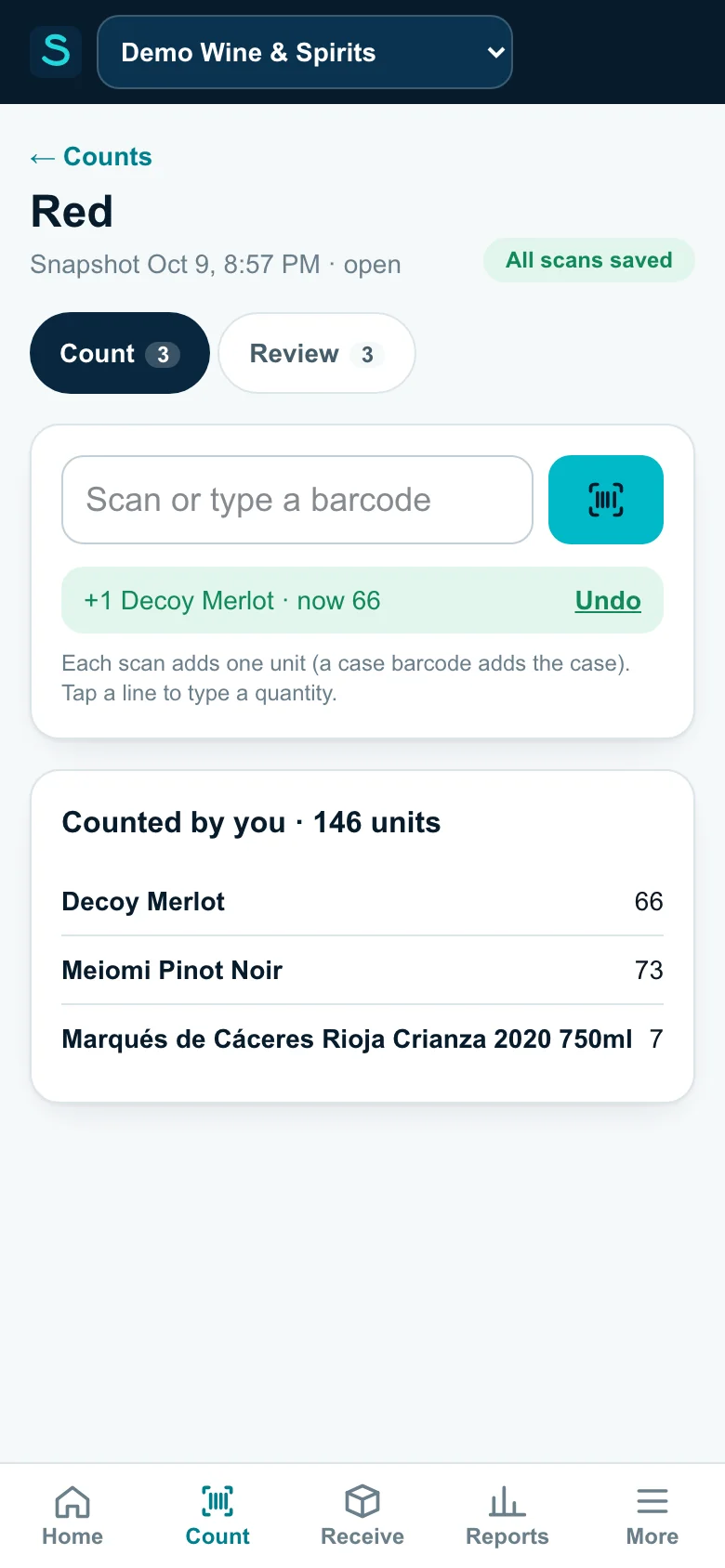
Open the back office in a supported phone browser, scan with the camera or type a barcode, and count a shelf, a category, or the whole store. More than one person can count at the same time.
Review the differences between expected and counted stock before you post the count as an adjustment.
Counts, adjustments, and transfers
Cycle counts and full counts
Count a category each week or the whole store at once, and review the variance before posting.
Adjustments with reasons
Breakage, tasting, or a correction: each adjustment carries a reason in the stock history.
Transfers between stores
Move stock between your stores with a transfer that both stores can see.
Identify slow-moving stock and review your next action.
Slow and dead stock
Items with no recent sales, with the units on hand and the cost tied up in them, so you can decide what to do next.
Average cost from your invoices
Each approved delivery updates the item's weighted-average cost from the stock on hand and the units received.
Reorder suggestions
Suggested quantities by distributor, with the reason for each line. See sales and ordering.
The catalog behind the inventory
A product catalog to start from
Beer, wine, and spirits with names, sizes, and categories, so adding a product starts from a record instead of a blank form.
New items at the register
Scan a bottle the store doesn't carry yet and the catalog fills in the item for you to confirm.
Labels and shelf tags
Price tags and shelf tags with barcodes, one at a time or in a batch after a delivery or a price change.
Frequently asked questions
Do I need a handheld scanner to count?
No. A supported phone with the back office open scans barcodes with its camera.
Do sealed cases count separately from loose units?
No. Stock is counted in single units. A sealed case of 12 and 12 loose bottles are the same 24 units; the case size on the item is what lets the register sell a case, a pack, or a single.
How are costs calculated?
From your approved invoices, as a weighted average of the stock on hand and each delivery. Earlier sales keep the cost they were recorded with.
See a count on a store-like catalog.
A 30-minute demo with sample data set up like a wine and liquor store. Bring a product export from your current POS if you'd like to see it mapped.