

Checkout
A better flow from scan to sale.
Scan items, check ID, apply offers, and take payment from the keyboard or touch screen. Keep everyday checkout work in one place.
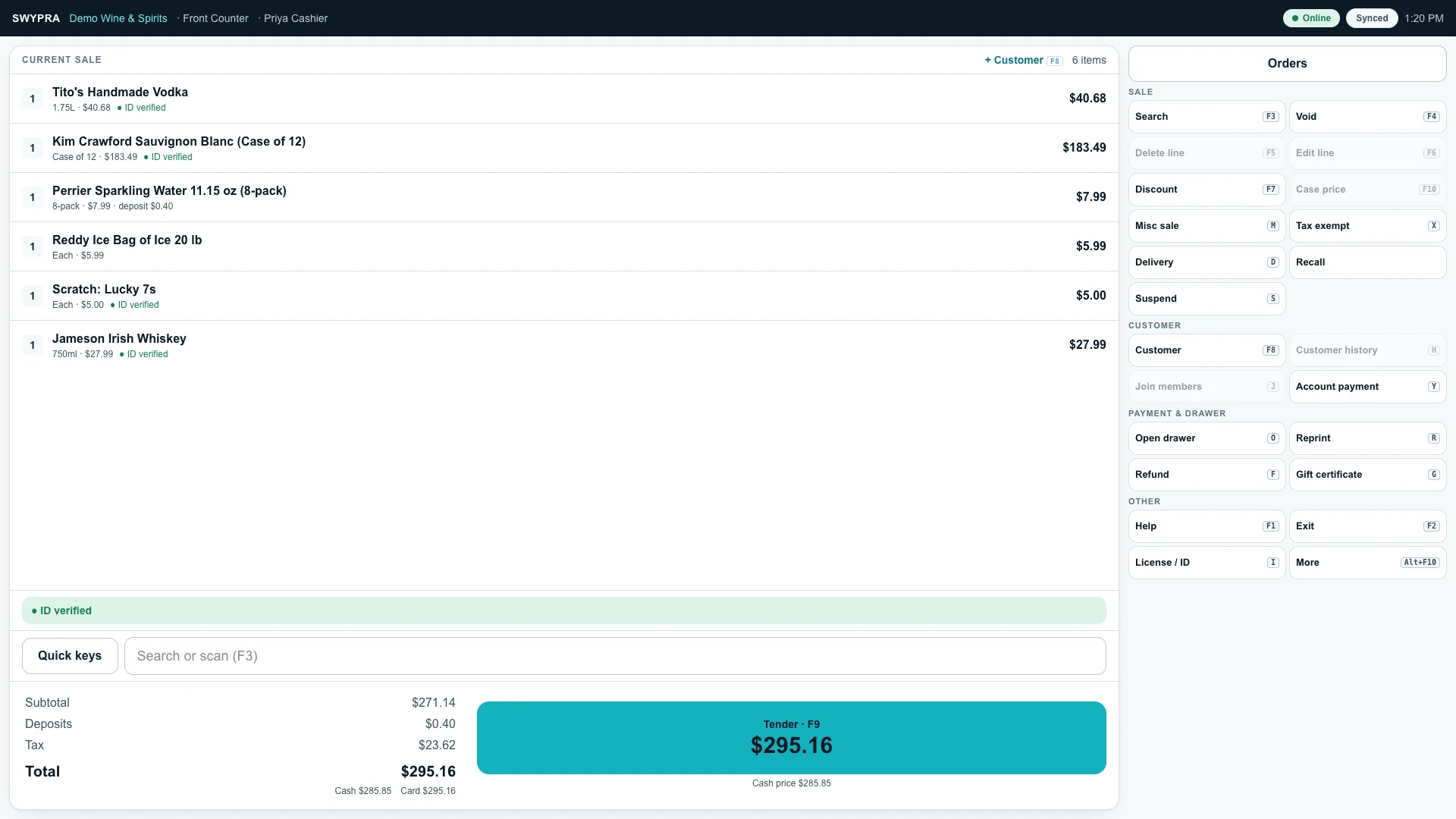
A sale, start to finish
- 1
Scan or search
Scan the barcode or type part of the name. Quick keys cover items without a barcode, such as a bag of ice.
- 2
Check the ID
An age-restricted item prompts for ID. Scan the license and the register checks the age and the expiration date.
- 3
Apply offers
Mix-and-match deals and quantity breaks apply on their own. Case price is on F10, and deposits ring as their own lines.
- 4
Take payment
Card, cash, check, gift certificate, store credit, or house account, or a split across them.
- 5
Print the receipt
The receipt prints when the sale completes. A gift receipt or a reprint is one key away.
The sale on screen
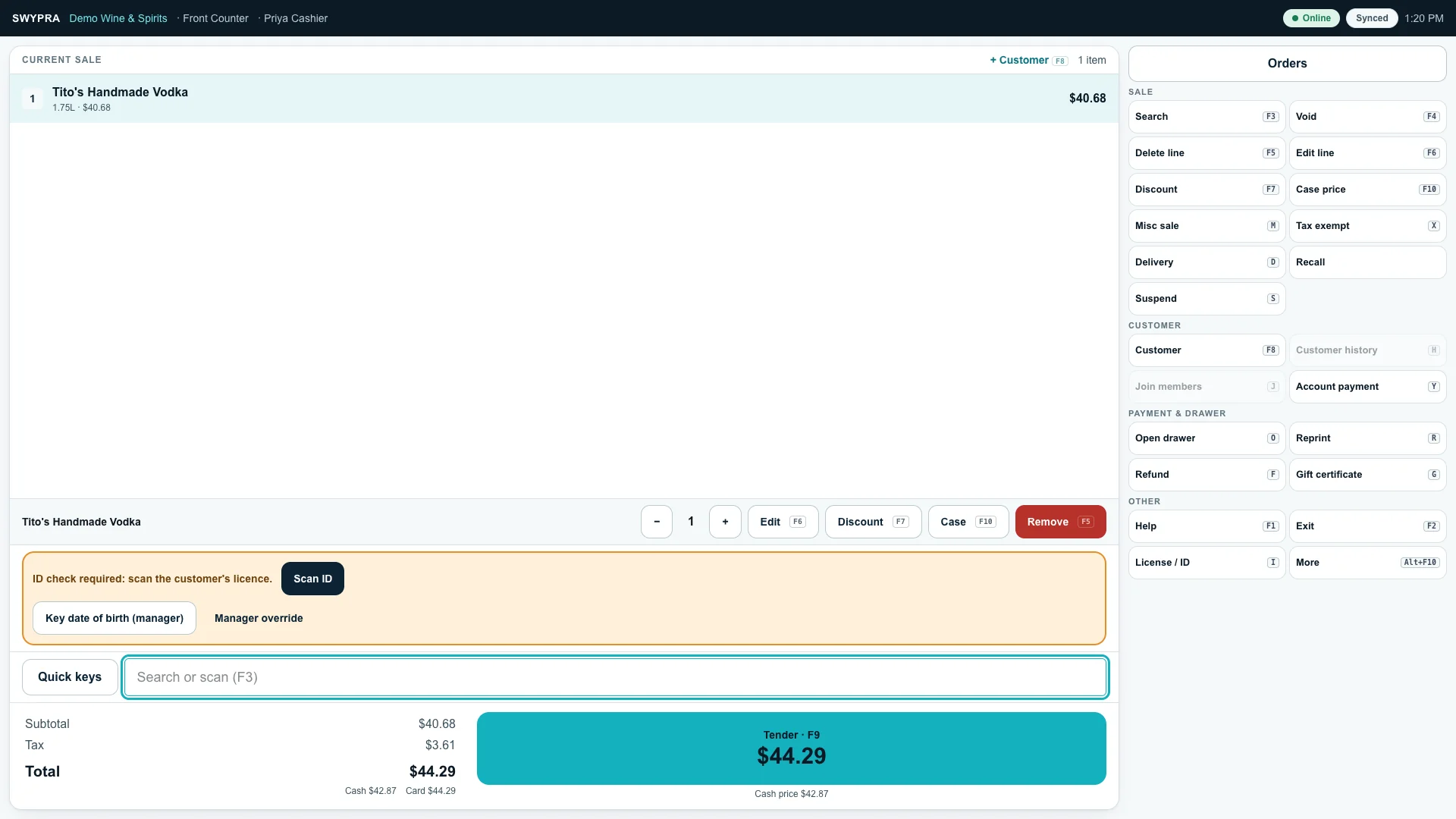
ID prompt · Sample data 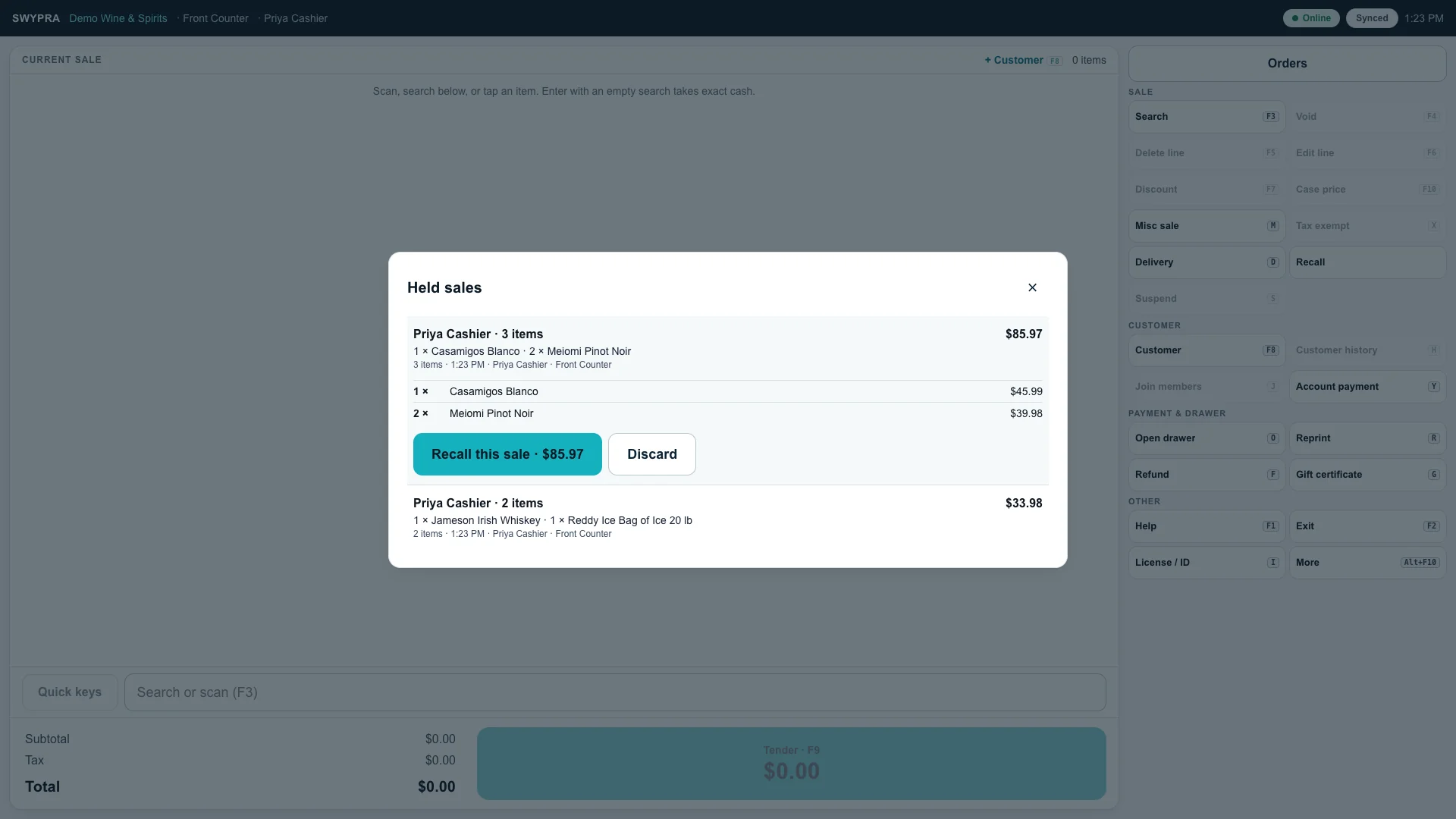
Held sales · Sample data 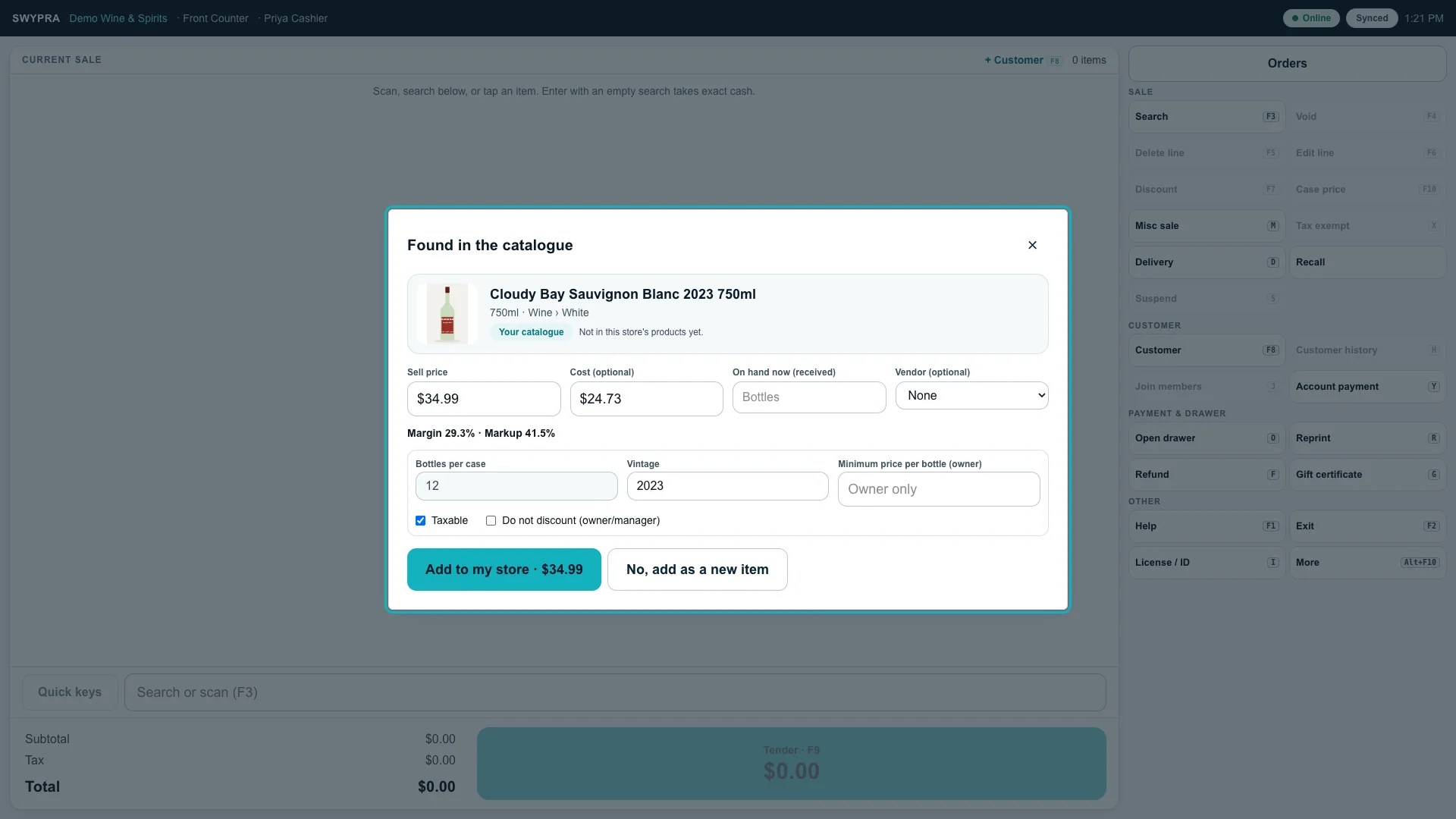
A new item from the catalog · Sample data 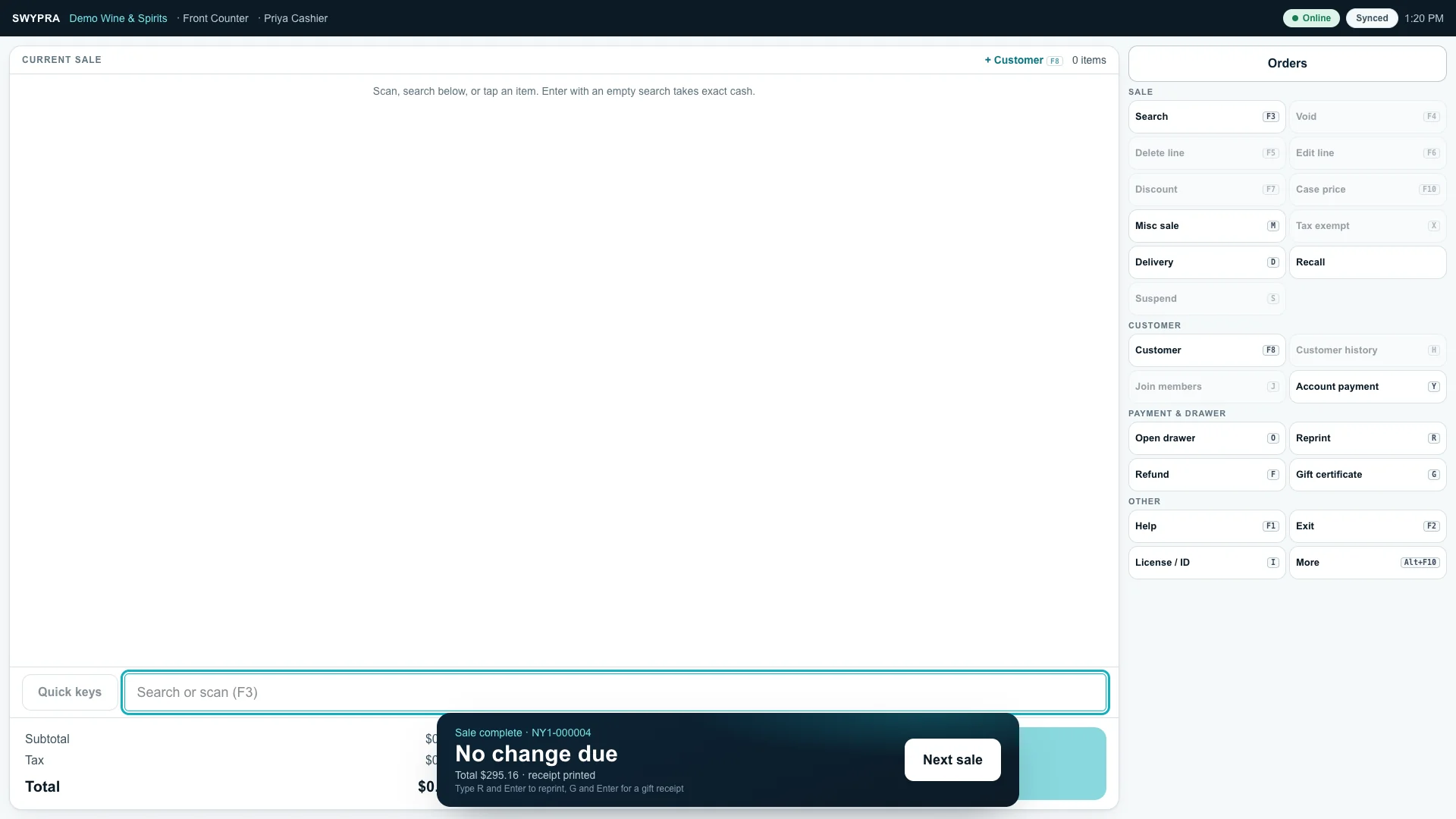
Sale complete · Sample data
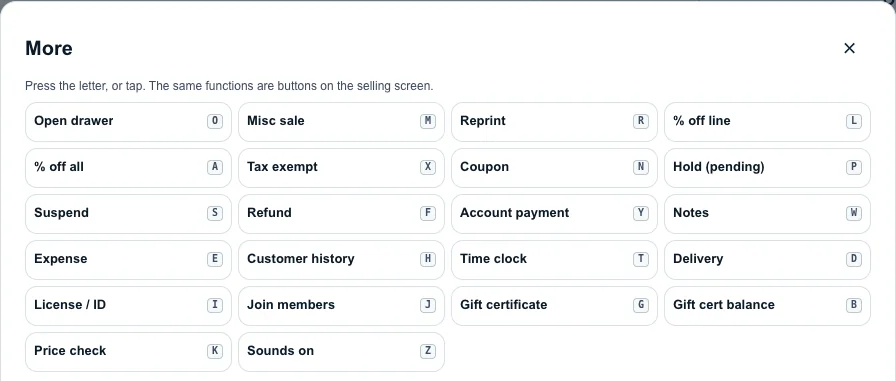
Keyboard shortcuts for everyday checkout.
Common functions sit on F-keys: search on F3, void on F4, discount on F7, customer on F8, and case price on F10. Alt+F10 opens the More panel, where other functions have their own letter keys.
Cashiers who prefer the touch screen tap the same buttons, and your store chooses which buttons the register shows.
Voids, refunds, and returns—with a record of every change.
An unfinished sale can be voided before payment. Card authorizations are handled through the payment provider, not edited at the register. A completed sale is refunded through a recorded refund, so the original sale and the refund both stay in the history.
Checkout control
Hold and recall
Hold a sale while a customer steps away, serve the next one, and recall it with its lines intact.
Discounts
Line and whole-sale discounts by percent or dollar amount, recorded with the cashier who gave them.
Cases, packs, and singles
Sell a case, a pack, or a single from the same item. Stock is kept in single units.
Manager approvals
Voids, refunds, discounts, and price changes can require a manager's approval, as your store sets them.
Cash drawer and day close
Drawer counts, pay-ins and pay-outs with reasons, X and Z reports, and a daily close for each register.
Time clock
Employees clock in and out at the register, and hours export for payroll.
The customer display
A second screen shows the customer each line as it rings and the running total, with both the cash and card prices when your store offers a cash discount. It also shows when an ID check is needed.
When the internet drops
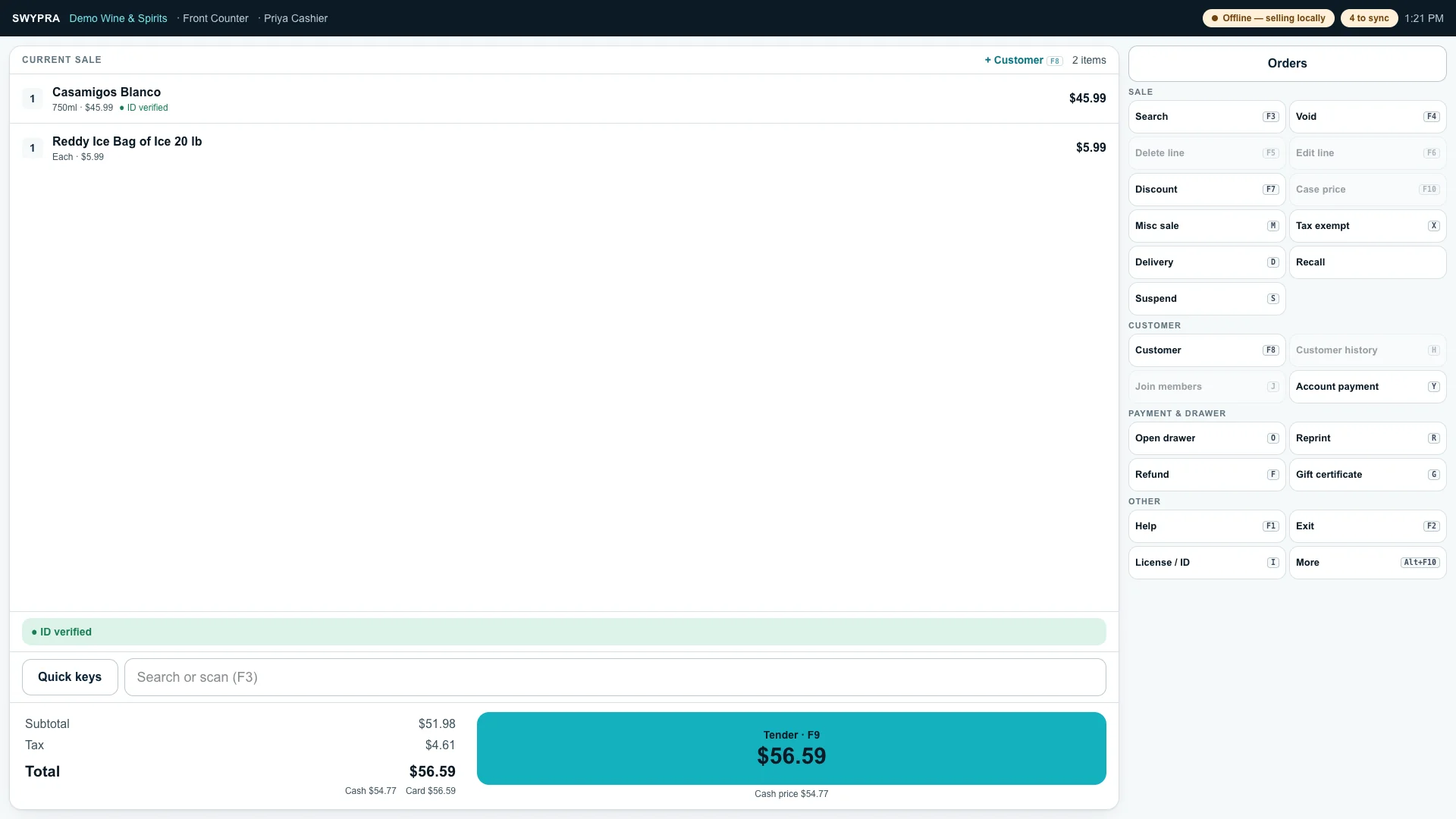
The register keeps its own database, so cash sales keep ringing, items keep looking up, and receipts keep printing. The screen shows that the register is offline, and offline sales synchronize when the connection returns.
Card payments need a connection unless your approved payment setup supports offline acceptance. We confirm what your setup supports before you go live.
Accepted at the counter
Cards
Card payments run through SWYPRA's supported processing partners, with the amount sent from the register to the reader.
Gift cards, store credit, house accounts
Sold and redeemed at the register, with balances and house-account statements in the back office.
Cash discount or card surcharge
Your store can offer a cash discount, or a card surcharge where the rules allow it, with both prices shown at checkout. Rules vary by state; review them with your provider.
The hardware
Your register runs on SWYPRA hardware, with the receipt printer, scanner, cash drawer, and customer display configured and tested for checkout during setup. Ask about SWYPRA hardware options.
Frequently asked questions
What does the ID scan check?
The register reads the barcode on the license and checks the age and the expiration date. It does not authenticate the physical card. Rules vary by state; this is not legal advice.
What does SWYPRA keep from an ID scan?
The register records the outcome of each check with the sale, not the details from the license. Retention settings are reviewed with each store during setup.
What if a license won't scan?
A manager can enter the date of birth by hand, and the check is recorded with the sale. The store decides when a scan is required.
See the register with your departments set up.
A 30-minute demo: a sale with an ID check, a case and a deposit, a split payment, and the day's close.