

Platform
Your counter, stockroom, and online store—connected.
Run checkout, receiving, inventory, and online orders from one connected system, with a back office your team can access from a supported browser.
See SWYPRA at the counter.
The register, the back office, and your online store share one catalog and one inventory.
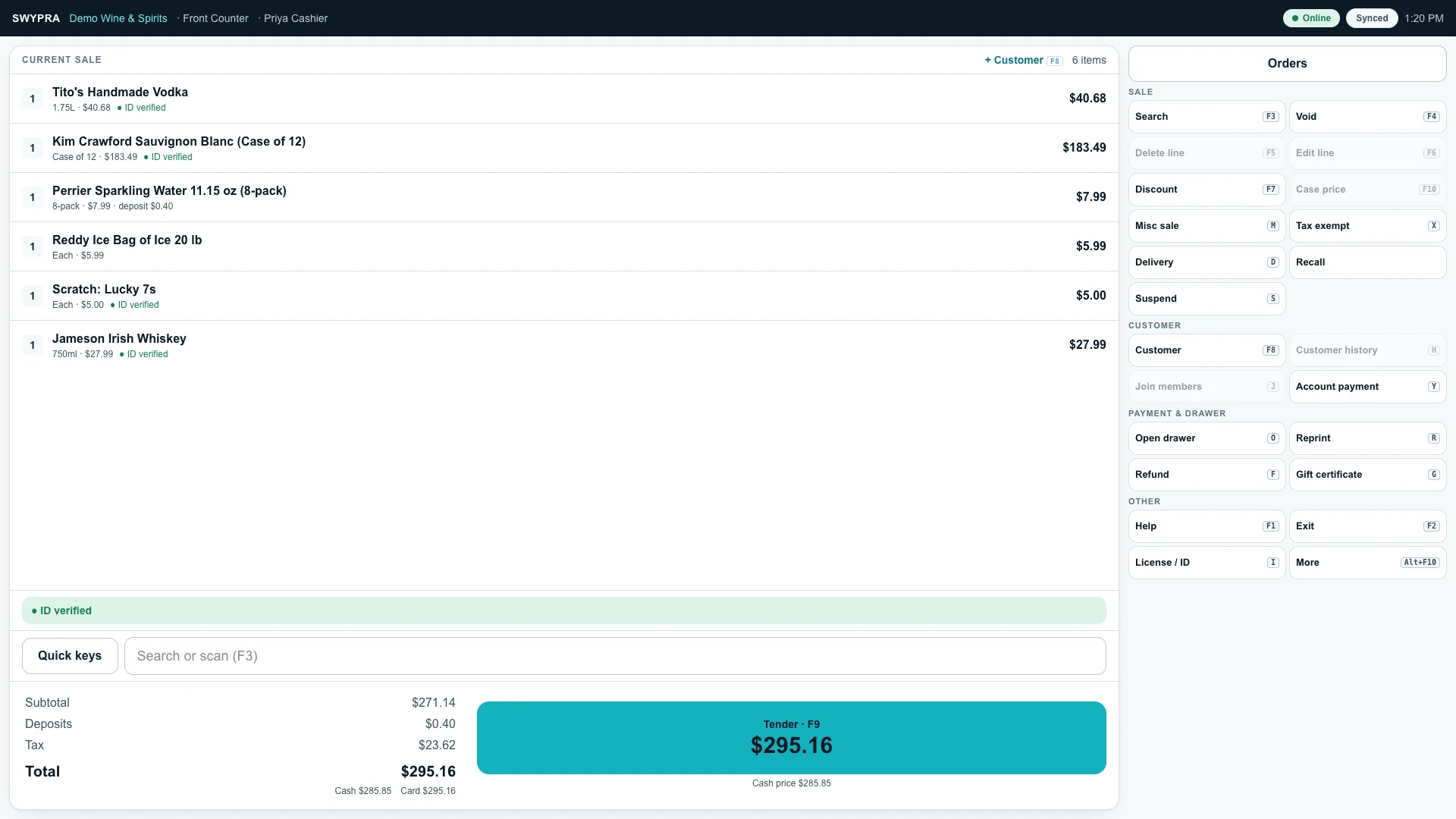
Sample data
Three connected parts
The register
Learn more: The registerA Windows application on SWYPRA hardware for scanning, ID checks, deposits, lottery, and payment, from the keyboard or touch screen.
The back office
Learn more: The back officeReports, inventory, receiving, purchasing, customers, and settings in a supported browser, including on a phone.
Your online store
Learn more: Your online storeA website under your store's name, on the same inventory, with paid orders arriving at the register.
How the register and the back office work together
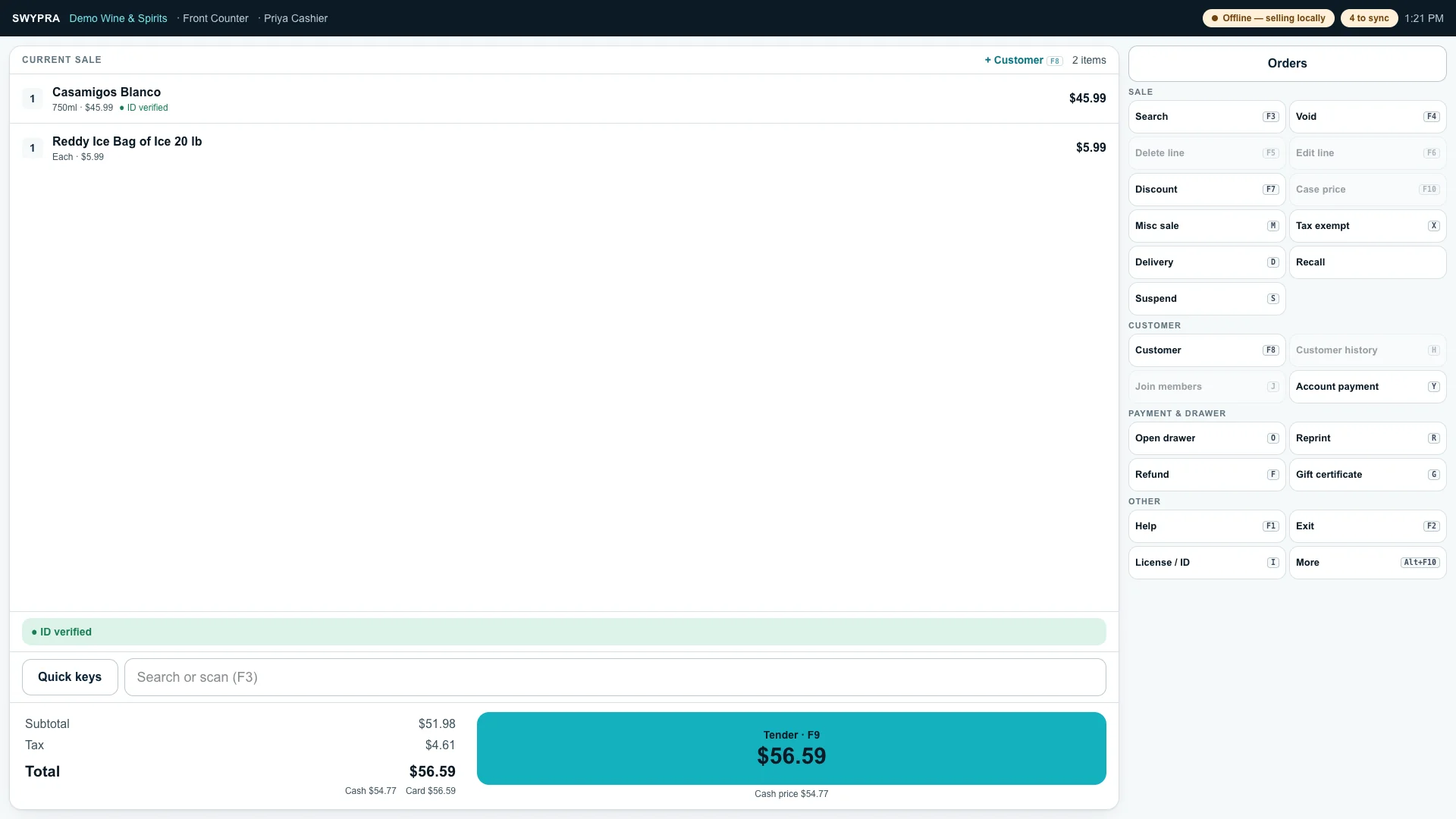
The register keeps its own local database and runs the receipt printer, scanner, cash drawer, and customer display. The back office runs in the cloud, so there is no server to keep in the back room.
If the internet drops, the register keeps ringing cash sales, looking up items, and printing receipts, and shows that it is offline. Offline sales synchronize when the connection returns. Card payments need a connection unless your approved payment setup supports offline acceptance; we confirm what your setup supports before you go live.
Settings and controls
Settings for your store's rules
Configure ID prompts, deposits, a cash discount or card surcharge, and sales-hours limits for each store. Rules vary by state, so we review your settings with you during setup. This is not legal advice.
Roles and approvals
Owner, manager, and cashier roles, with a manager's approval for the actions your store chooses, such as voids, refunds, and discounts.
More than one store
Run several stores under one account, with transfers between stores and reports for each store or the group.
Go deeper
Checkout
Learn moreScanning, ID checks, deposits, lottery, holds, and refunds.
Payments
Learn moreCard payments at the counter and online.
Invoice receiving
Learn moreFrom a distributor invoice to updated stock and costs.
Inventory
Learn moreCases, packs, and singles, and counts on a phone.
Sales and ordering
Learn moreReports, the day's close, and reorder suggestions.
Online store
Learn moreYour website, pickup, and local delivery.
See the platform with your store in mind.
Bring your departments, your register count, and your state. The 30-minute demo shows how each part fits.