

Sales insights and ordering
See what sells, what earns, and what needs attention.
Sales, gross profit, stock, cash, and ordering in one back office, with the date range and filters shown on every report.
Sales
Sales dashboard
Net sales, transactions, average basket, and gross profit for the day or any period, by store.
Best sellers and gross profit
Top items by units, dollars, and gross profit, by category, distributor, and size.
Sales by hour
When the store is busy, by hour and weekday, to help plan staffing.
Inventory and ordering
Reorder suggestions are a starting point. You adjust the quantities and approve each purchase order.
Reorder suggestions by distributor
Suggested quantities in whole cases, based on recent sales, stock on hand, open orders, and the next delivery date, with the reason for each line.
From suggestion to purchase order
Create a purchase order for each distributor from the suggestions, then export it or email it to your distributor.
Slow and dead stock
Items with no recent sales, with the units on hand and the cost tied up in them.
Cash and employee activity
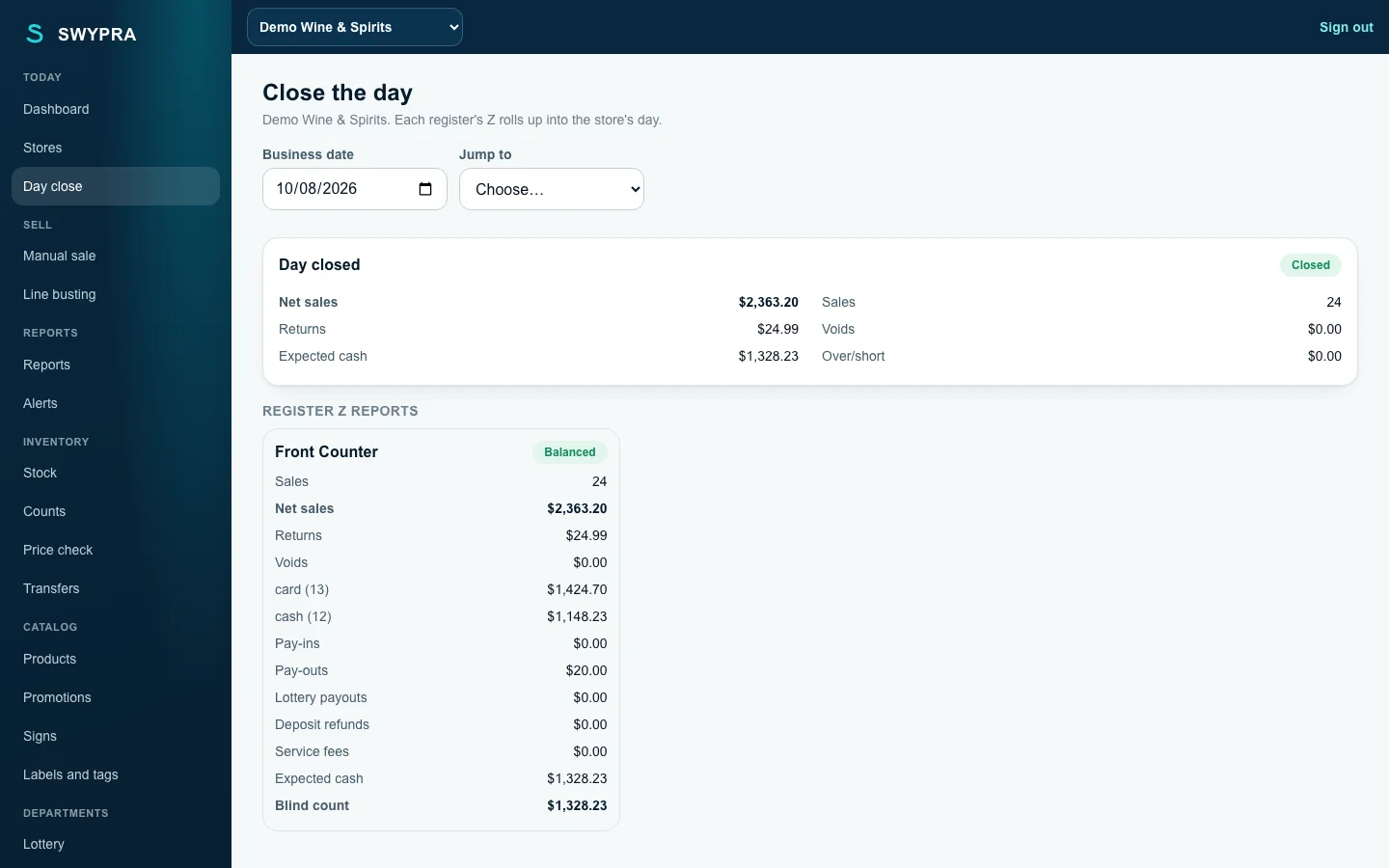
X and Z reports and the day's close
Shift and end-of-day totals by register: payment types, pay-ins and pay-outs, lottery payouts, deposit refunds, and expected against counted cash.
Employee activity
Sales, voids, refunds, and discounts by employee, and cash differences by register and shift.
Time clock hours
Hours by employee from the register's time clock, exported for payroll.
Accounting exports
Sales tax
Sales tax by rate for the period you choose.
Exports and schedules
Reports export as CSV, Excel, or PDF. Owners and managers can schedule regular reports by email.
Accounting journal
A journal export for your accountant, with sales, tax, and payment types for the period.
Clear numbers, clearly labeled
Reports use consistent definitions, with the date range and filters shown. When two reports cover different dates, filters, or cutoff times, their totals can differ, and each report says which it uses.
Gross margin is gross profit divided by net sales, before tax and deposits.
Frequently asked questions
Can I send reports to my accountant?
Yes. Reports export as CSV, Excel, or PDF, and owners and managers can schedule regular reports by email.
Why can two reports show different totals?
Reports use consistent definitions, with the date range and filters shown. Totals differ when the dates, filters, or cutoff times differ, so check those first.
Bring the three questions your reports can't answer.
We'll show you where each one lives in SWYPRA in a 30-minute demo.