

Features
Tools that take work off your team.
The everyday work of a wine and liquor store in one system, shown in the SWYPRA software with sample data.
01
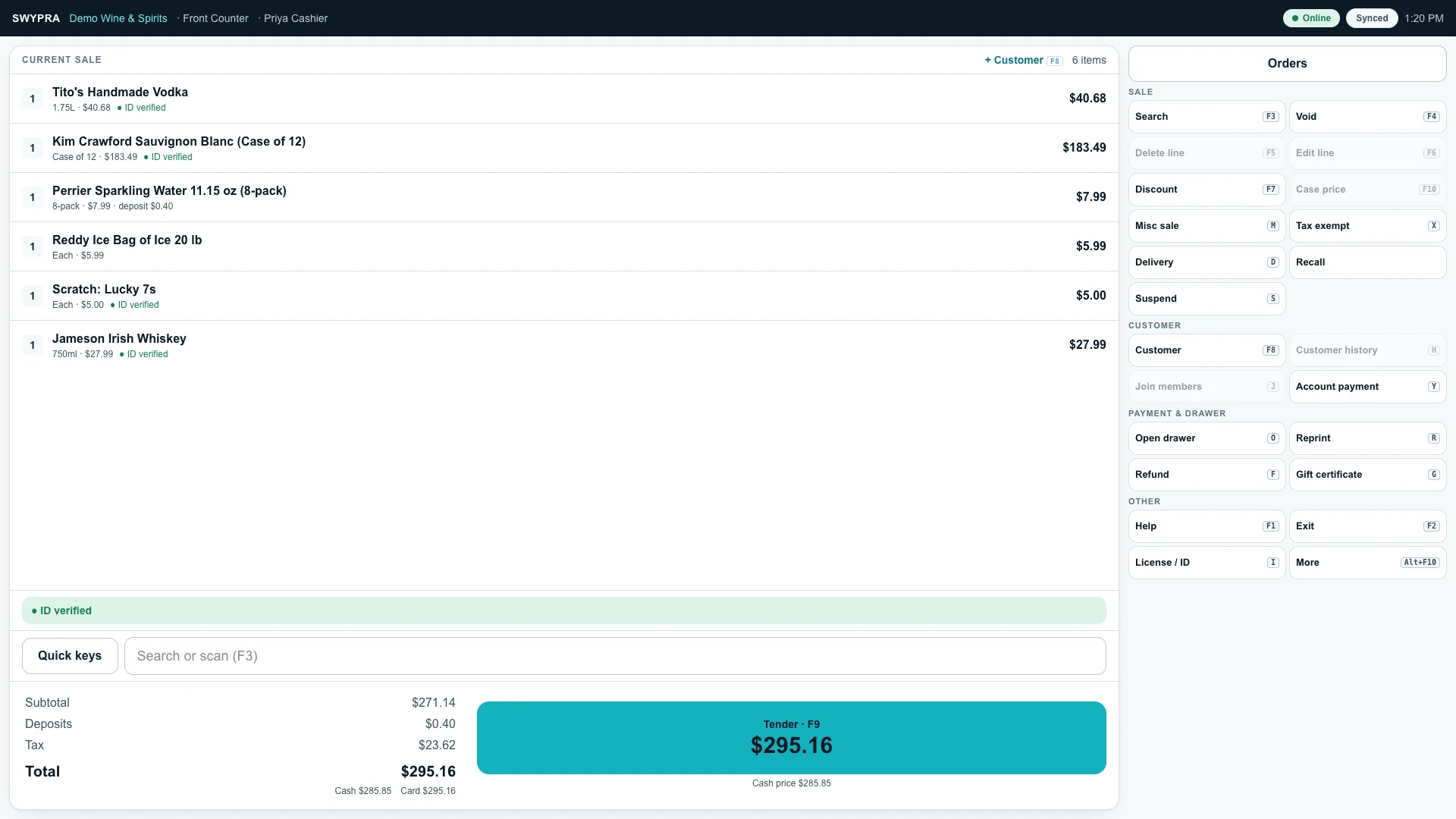
Checkout
Explore checkoutScan items, check ID, apply offers, and take payment from the keyboard or touch screen. Cases and singles, bottle deposits, lottery, and holds are part of the same sale.
Sample data 02
Invoice receiving
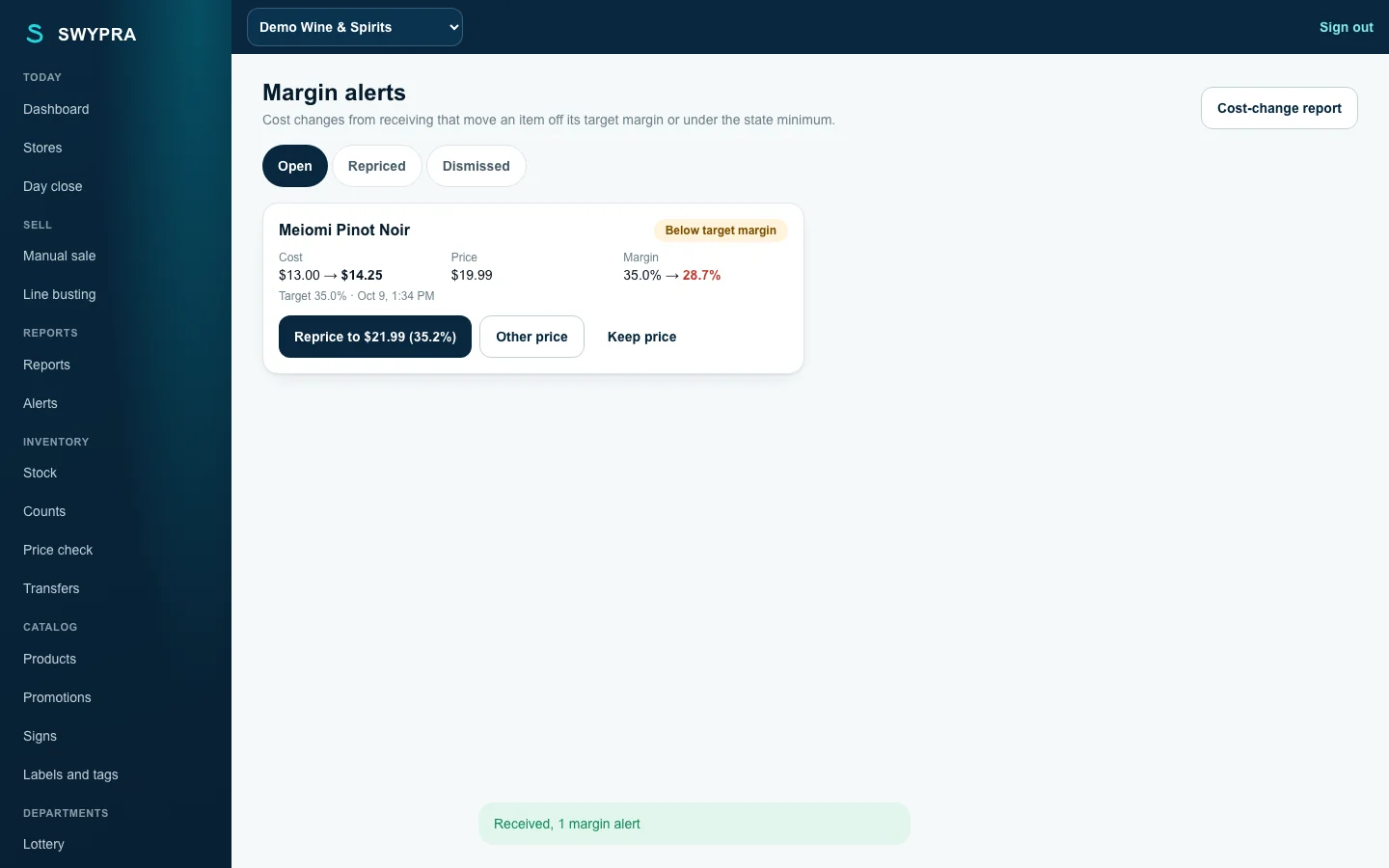
Explore invoice receivingUpload a photo or PDF of a distributor invoice, review matched items and cost changes, and approve the delivery. Stock and costs update from the same review screen.
SWYPRA remembers confirmed item matches for each distributor.
Sample data 03
Inventory
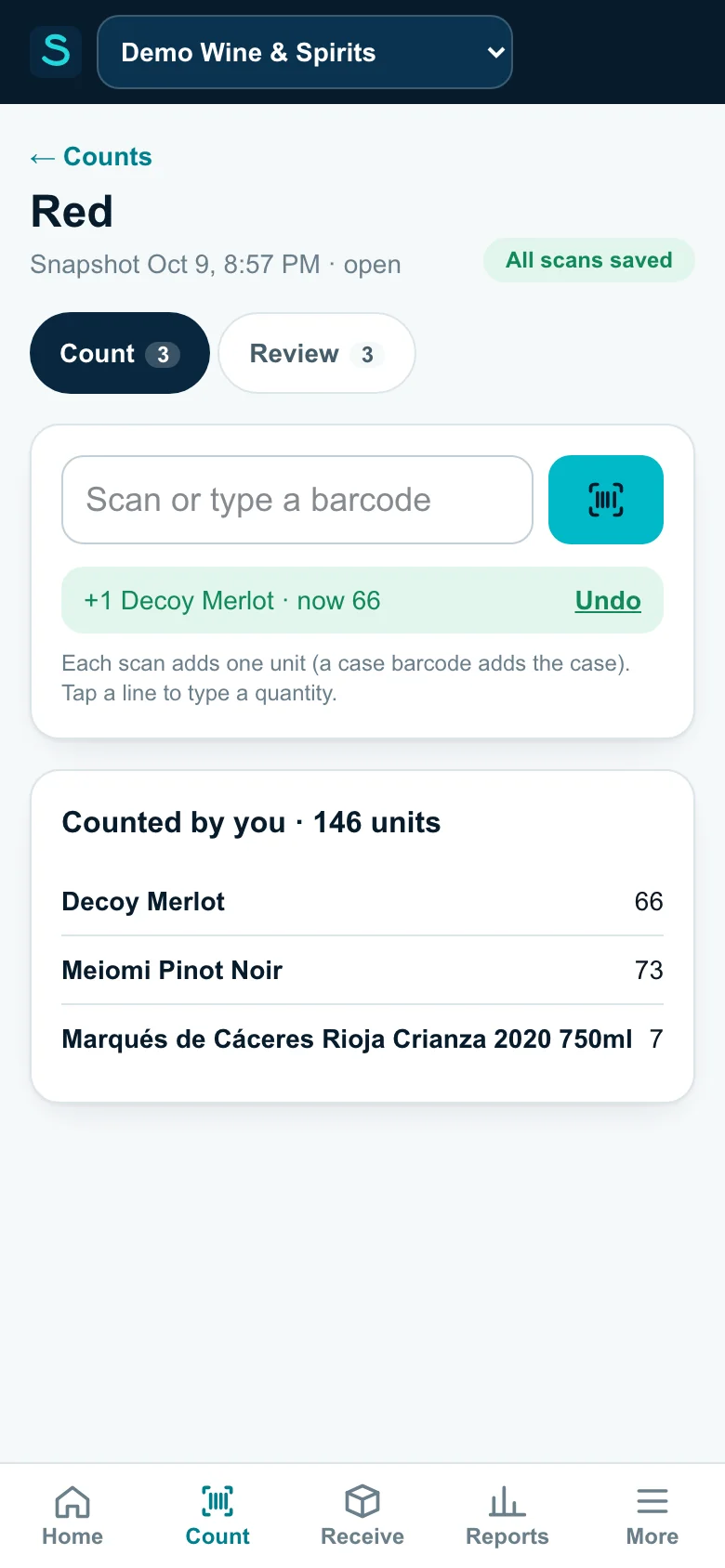
Explore inventoryTrack stock across cases, packs, and singles. Count from a supported phone, review differences, and see which items need attention before the next order.
Sample data 04
Website orders at the register
Explore online ordersOrders from your online store arrive in the register's order list. Staff prepare them for pickup or for delivery by your own team, from the same inventory as in-store sales.
05
Your online store
Explore the online storeA website under your store's name, with connected stock, an age confirmation step, checkout, and pickup or local delivery where your store offers it.
06
Customer rewards
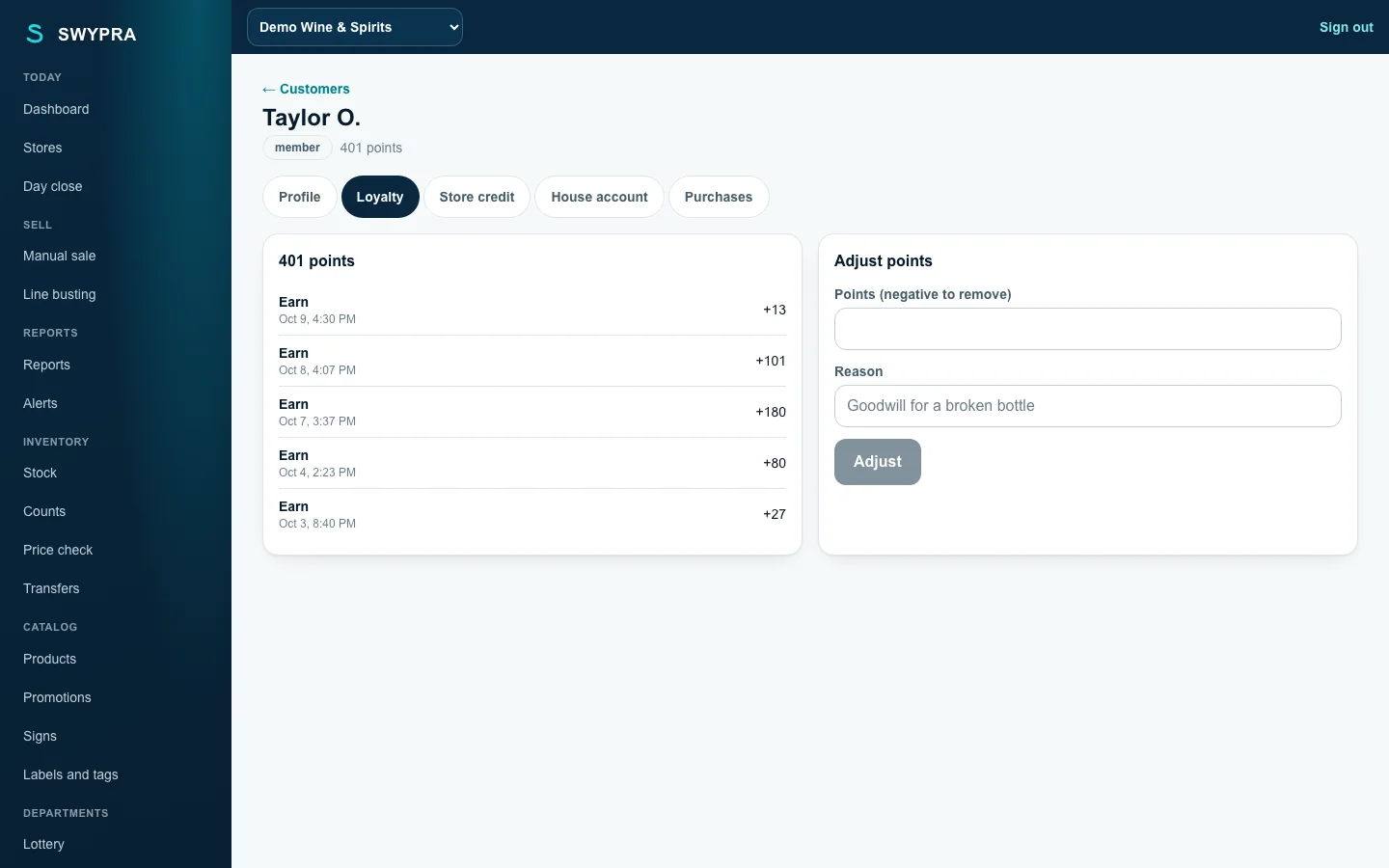
Explore customer marketingCustomers earn points on their purchases. Points, visits, purchase history, store credit, and house accounts sit on one customer profile.
Sample data 07
Sales insights and ordering
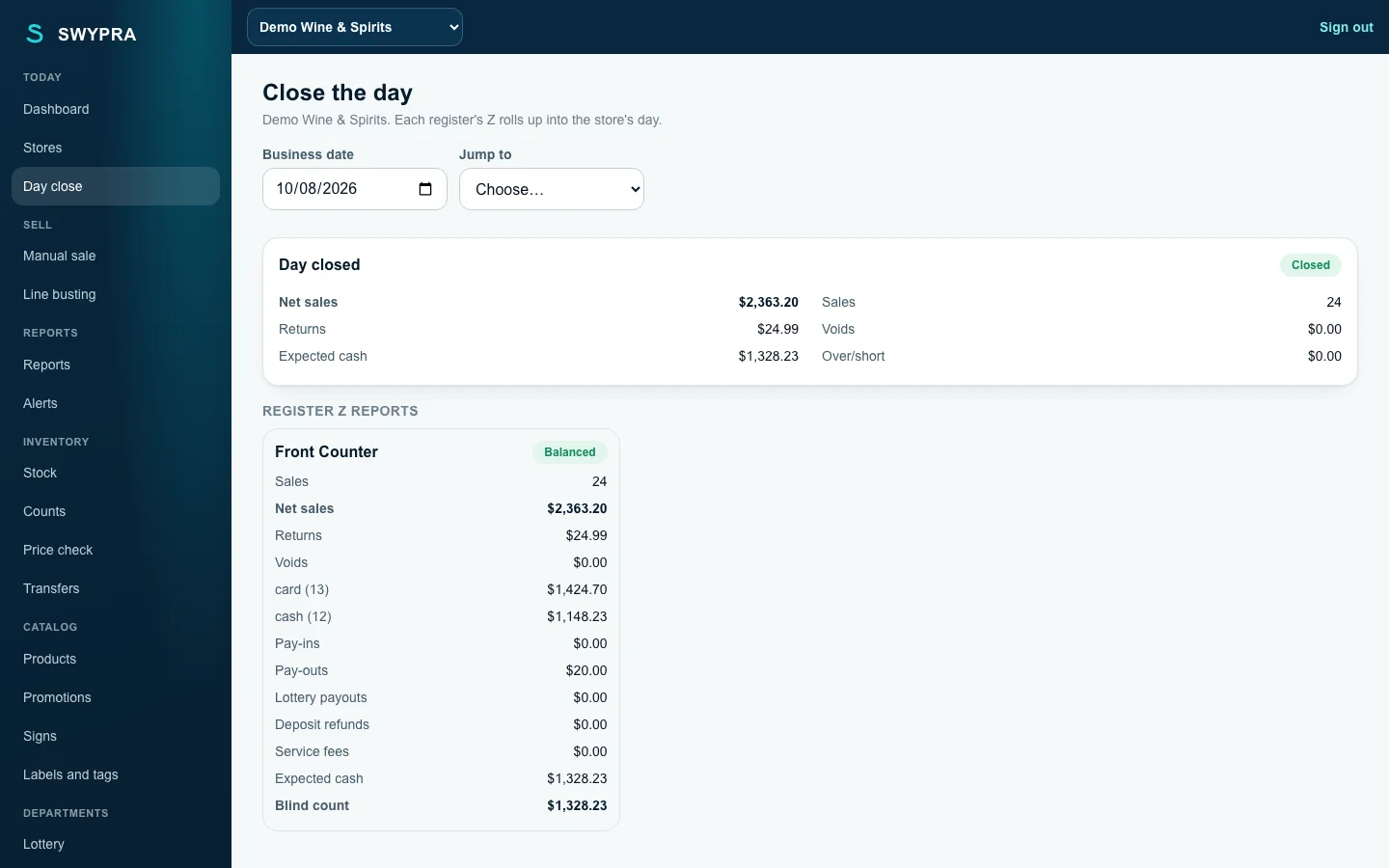
Explore sales and orderingSee sales, gross profit, stock, and the day's close, with the date range and filters shown. Review reorder suggestions grouped by distributor, with the reason for each line, and turn them into purchase orders.
Sample data
See how SWYPRA fits your store.
Walk through checkout, receiving, and the back office in a 30-minute demo built around your day-to-day work.